
Image Compressor offers a free, browser-based tool to compress JPG, PNG, WebP, and GIF files efficiently, keeping quality intact for easy sharing. Fast and free image compressor for JPG, PNG, Webp, GIF and more.
Here you can turn simple ideas into eye‑catching wallpapers, emoji art, social graphics and more in just a few clicks, without installing heavy software. Image Compressor lets you quickly compress JPG, PNG, WebP, GIF and other image files online without losing visible quality, reducing size for web, email and storage in just a few clicks.
Image Compressor is a fast file compression tool that helps you reduce the size of images without noticeably impacting visual clarity or readability. It supports popular image formats like JPG, JPEG, PNG, GIF and WebP and other image files making it ideal for preparing files for websites, email attachments, online forms and cloud storage.
🔧 Key Features of Image Compressor: This tool Supports multiple files, Adjust compression level, Instant results, One-click download, No installation or login needed. Save your optimized files right from the browser. Enjoy 100% client-side and privacy-friendly.
✅ Works with JPG, JPEG, PNG, GIF, WebP, and more!
An image compressor helps you quickly reduce image size without losing visible quality
Smart image compressor for web and social
This online image compressor is designed to shrink your files while keeping them sharp and clear, making it ideal for websites, blogs, e‑commerce, and social media. You can use it as a photo compressor, picture compressor, or pic compressor to optimize images for faster page speed, better SEO, and smoother user experience. The tool intelligently reduces image size and removes unnecessary data while preserving details that the human eye actually notices. With just a few clicks, you can reduce size of a image or reduce size of the photo and download optimized files ready to use anywhere.
Reduce image size and dimensions easily
Use this pic size reducer to reduce picture size in KB or MB without needing any design skills. You can reduce image dimensions and reduce image resolution when you need smaller pixel sizes for web pages, forms, or app uploads. The picture reducer size feature is perfect for meeting strict upload limits on job portals, government sites, and online applications. Whether you want a compact thumbnail or a lighter full‑width banner, the tool helps reduce image size while keeping everything crisp and readable.
Powerful JPG and JPEG photo compressor
This tool includes a dedicated jpg photo compressor and jpg image compressor for all your camera photos and downloaded images. Compress JPEG files with a smart jpeg photo compressor that balances quality and file size automatically. The built‑in jpeg compressor can shrink large photos by up to 70–80% while maintaining clear details, making them ideal for email, portfolios, and online galleries. If you handle lots of product photos, social posts, or blog images, this jpg and jpeg photo compressor can save bandwidth and storage in bulk.
PNG compressor and WebP support
For graphics, logos, and screenshots, the PNG compressor helps you reduce image size while preserving transparency and sharp edges. You can quickly compress PNG files without noticeable quality loss, which is essential for UI elements, icons, and design assets. The tool also supports modern formats like WebP, so you can compress WebP images for even better performance on supported browsers. With support for JPG, JPEG, PNG, WebP, GIF, and other image files, you can optimize almost any picture you use online in one place.
Compress GIF and animated images
If you work with animations, you can compress GIF files to make them lighter and faster to load. The animated gif compressor reduces file size by adjusting colors, frames, and compression level while keeping the animation smooth. Use it to compress gif banners, memes, and social media animations so they look great without slowing down your pages. This is especially useful when you need to reduce size of the photo sequence or motion graphics used in email campaigns and landing pages.
Why use this picture compressor?
- Works as an all‑in‑one image compressor, photo compressor, picture compressor, and pic compressor in your browser.
- Lets you reduce image size, reduce picture size, reduce image dimensions, and reduce image resolution with simple controls.
- Acts as a powerful jpg photo compressor, jpg image compressor, jpeg photo compressor, and jpeg compressor for camera images.
- Includes a dedicated png compressor, animated gif compressor, and optimization for WebP and other image formats.
Use this pic size reducer before uploading images to any website or app to keep your visuals beautiful, lightweight, and ready for modern, high‑speed browsing.
How Client-Side Compression Protects Your Privacy
Most online file converters upload your personal visual assets to external servers to perform processing routines. ImagePro.in operates on a 100% browser-based execution model. Utilizing the Web HTML5 Canvas interface and modern JavaScript binary handling, your photographs are processed within your device’s memory footprint. No data transfers to third-party endpoints, ensuring absolute security for sensitive documents, personal snapshots, and corporate media assets.
Optimizing Images for Web Performance & Core Web Vitals
Uncompressed imagery remains the single largest cause of page latency across desktop and mobile browsers. When heavy digital camera assets (often 5MB to 15MB) are loaded on standard websites, they delay Largest Contentful Paint (LCP) times—a core metric evaluated by modern search engines. By reducing file weight to under 200KB via high-ratio lossy or lossless algorithms, web administrators retain visual clarity while drastically enhancing site indexing parameters.
Frequently Asked Questions (FAQs)
1. What does an image compressor do?
An image compressor reduces the file size of your images while keeping them visually clear, so they load faster on websites, apps, and social media.
2. Which image formats does this tool support?
This tool supports JPG, JPEG, PNG, WebP, GIF, and other common image files, letting you compress almost any picture you use online.
3. How do I use the image compressor?
Upload your images, choose your preferred compression level or target size, and then download the optimized files once processing is complete.
4. Will compressing images reduce their quality?
The compressor is designed to reduce image size while maintaining excellent visual quality, using smart algorithms that remove data you barely notice.
5. Can I reduce image dimensions and resolution too?
Yes, you can reduce image dimensions and reduce image resolution to get smaller pixel sizes alongside file size reduction when needed.
6. Does this work as a JPG and JPEG photo compressor?
You can use it as a jpg photo compressor, jpg image compressor, jpeg photo compressor, and jpeg compressor to shrink large camera photos efficiently.
7. Is there a PNG compressor feature?
Yes, the built‑in PNG compressor helps reduce PNG file size while preserving transparency and sharp edges, ideal for logos, icons, and UI graphics.
8. Can I compress GIFs and animated images?
You can compress GIF files, and an animated GIF compressor mode reduces the size of looping graphics while keeping the animation smooth.
9. Is my data safe when I compress images?
Many modern compressors process images directly in your browser or delete uploads after a short time, so your photos and graphics are kept private.
10. Can I compress multiple images at once?
Some image compressor tools let you upload and compress images in bulk, acting as a pic size reducer and picture reducer size for entire folders of files.
Explore Full Suite of Utilities
From Image Compressor, Image Converters, advanced wallpaper makers and text‑to‑emoji designs to upcoming GIF and meme helpers, every tool is built to be fast, free and easy to use, whether you are a casual creator or a digital professional. Explore the tools, experiment with different styles and resolutions, and download high‑quality results ready for your phone, desktop or social media.

AI Image Upscaler – enlarge and enhance photos with deep‑learning super resolution. Upscale images 2x–4x without losing quality, sharpen details, reduce noise, and download high‑resolution results in seconds.
Free Text to emoji and GIF generator tool turn any text into an emoji/GIF with backgrounds, glowing captions or send it to Imgflip to create memes and GIFs. Explore our online free Text to emoji and GIF generator, type your message, add fun emoji packs, auto-generate a glowing canvas design over Unsplash backgrounds, then download an HD PNG wallpaper for phone or social media.
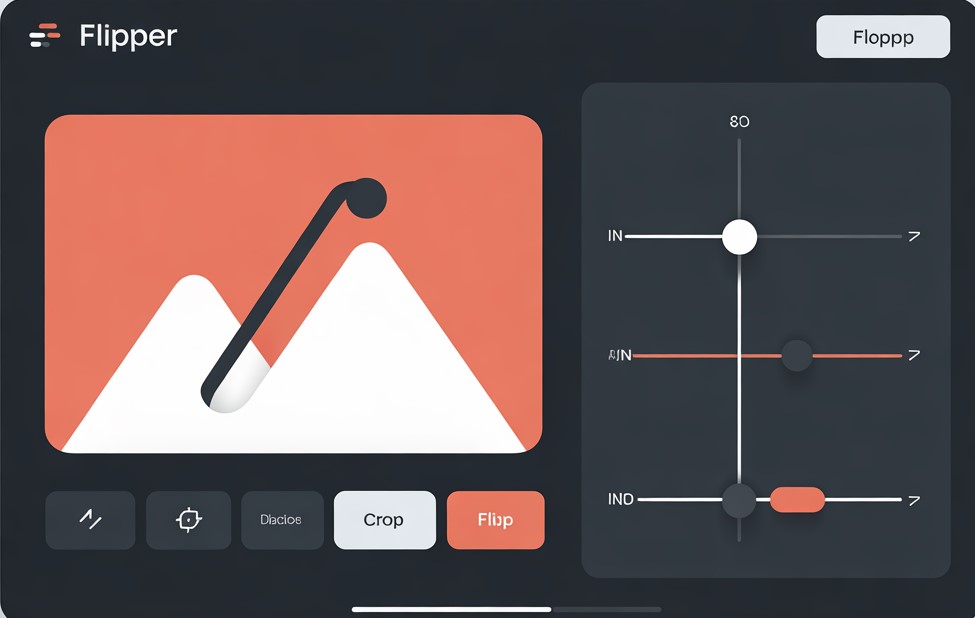
Image Flipper & Cropping Tool – upload a photo, flip or rotate it, then crop into creative shapes like circle, heart, star, hexagon, diamond and more. Free online shape cropper with live preview and PNG download. Use this Image Flipper & Cropping Tool to quickly flip, rotate and crop your images into eye‑catching shapes directly in the browser.